Recording remote team calls
A distributed team runs on a handful of calls that a third of the team is asleep for. Recording those calls turns a scheduling problem into an asynchronous one: the decision gets made on time, and everyone else hears exactly how it was reached. Because the recording happens on the phone network, it works for a call that never touches a video platform — the ones people take from a car, a kitchen, or a country with unreliable internet.
Record your next remote team meeting
Dial this number, add the other person, and merge. Your download code arrives by SMS the moment you hang up.
- +18446730242
By continuing you consent to receive transactional text messages from RecordableCall for notifications and alerts. Reply STOP to opt out, HELP for help. Message and data rates may apply. Message frequency may vary.
Already have a code? Get your recording
Who this is for
- Distributed teams spanning several US time zones
- Teams whose decisions happen on phone calls, not in a meeting tool
- Anyone running a call where a key person could not attend
Why phone rather than a meeting tool
Meeting platforms already record. The reason to record a phone call instead is that some conversations never make it onto a platform: the call taken while driving, the quick sync that did not justify a calendar invite, the conversation with someone outside the company who is not going to install anything.
Those are frequently the calls where the decision actually gets made, and they are the ones that leave no trace.
Making a recording someone will actually listen to
Nobody listens to a 40-minute call. What makes a recording useful asynchronously is the handful of minutes around the decision, and a note telling people where that is.
- Say the agenda out loud at the top. It becomes the index for anyone scanning later.
- Restate decisions explicitly — "so we're going with X, and Sam owns it" — so the moment is findable and unambiguous.
- Post the file with a two-line summary and a timestamp for the decision. The summary is what most people will read instead of listening.
- Name the file for the meeting and the date before you share it.
Practicalities of a merged call
The recording joins as one leg of a three-way call, so it is subject to whatever limit your carrier puts on merged participants. For a small standing call this is rarely a constraint; for an all-hands it will be. Test the setup on a real call before you rely on it for one that matters.
How it works
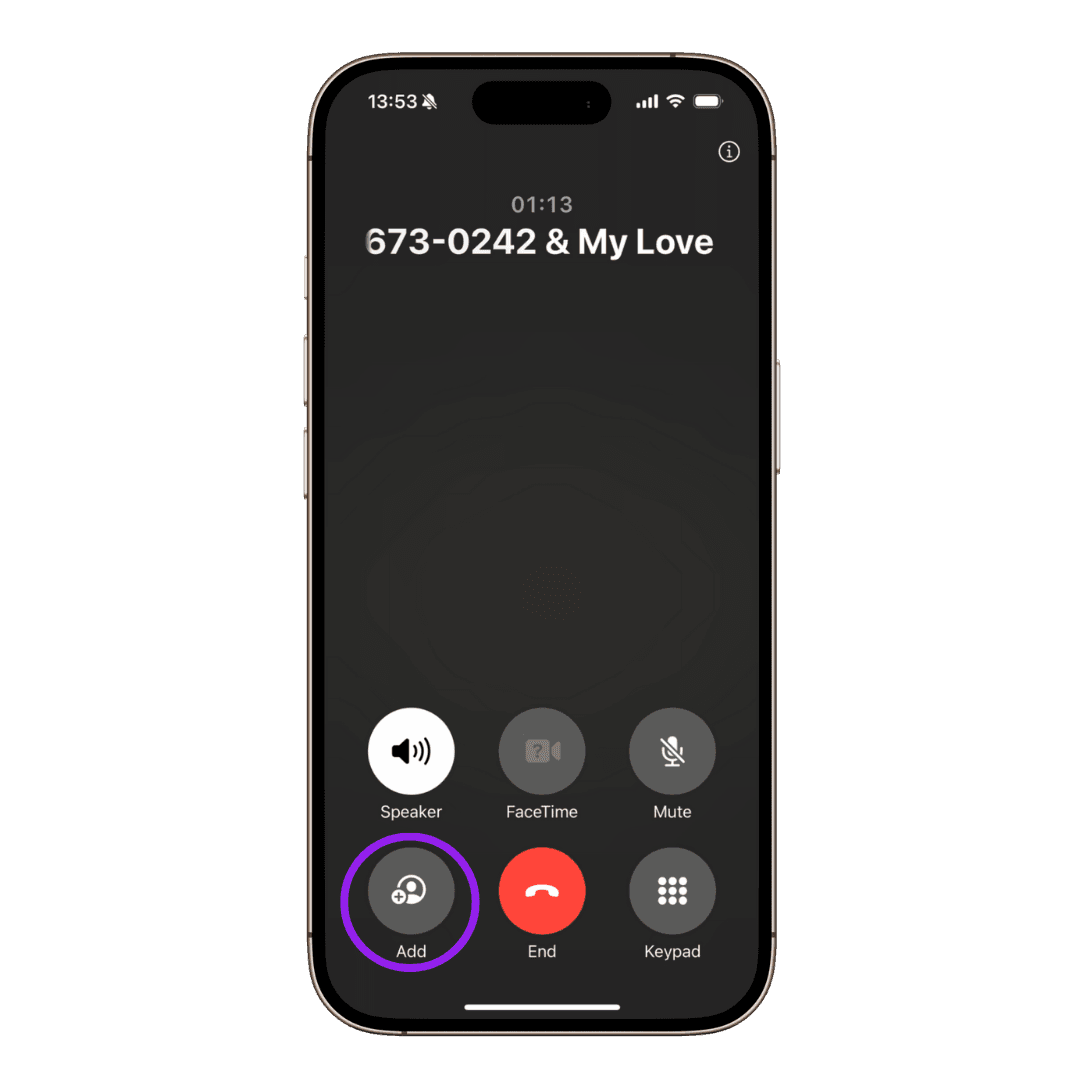
The whole mechanic is a three-way call. Your phone already knows how to do it — the recording line is just the third participant, and it stays silent for the whole conversation.
Notes, not just a recording
For a team call, the notes capture the decisions, who owns each one, and the action items — the part a colleague in another time zone actually needs.
You choose what kind of call it was when you collect the recording, so the notes match the conversation you actually had. The full transcript sits underneath, with each speaker labelled, so anything you rely on can be checked against what was said.
One teammate can change the rule for the whole call
This is the use case where the cross-state rule is easiest to trip over. A distributed team is, by definition, people in different states. If a single participant is sitting in an all-party consent jurisdiction, the whole call needs everyone's agreement — including the colleagues in states where your consent alone would have been enough.
Teams also record repeatedly rather than once, which turns a single awkward moment into a standing arrangement. Handle it as policy: tell the team the call is recorded, write it down somewhere they can find it, and repeat it whenever someone new joins.
- Announce the recording when a guest, contractor or candidate joins a call that is normally internal.
- Recording colleagues sits close to employee monitoring. Notice, consistency and a stated purpose matter more here than in any one-off call.
- Decide who can access the file before you share the link. A team recording usually contains more context than the people copied on it need.
RecordableCall operates in the US and is offered in the 38 states where your own consent as a participant is sufficient. Consent follows the people on the call, so if anyone is in an all-party state, everyone must agree.
Questions about remote team meetings
- Can I record a conference call with several people?
- Yes, within whatever limit your carrier places on merged participants — the recording joins as one leg of the call. Test it on a low-stakes call first. And because more participants means more states, tell everyone the call is being recorded.
- Does everyone on a team call have to agree?
- If any participant is in an all-party consent state, yes — and on a distributed team that is likely. Treat it as a standing arrangement the whole team knows about rather than a per-call decision.
- Do participants need an app or an account?
- No. They are on an ordinary phone call. Only the person who dials the recording number needs anything, and even they only need a phone that can merge calls.
General information, not legal advice. Recording law turns on the facts of your call and on where each participant is located — see our Terms of Use and verify the current position before relying on it.
Ready to record?
Dial this number, add the other person, and merge. Your download code arrives by SMS the moment you hang up.
- +18446730242
By continuing you consent to receive transactional text messages from RecordableCall for notifications and alerts. Reply STOP to opt out, HELP for help. Message and data rates may apply. Message frequency may vary.
Already have a code? Get your recording